Securing internal web-based applications and other highly sensitive websites is a massive security concern that legacy VPNs and even modern ZTNA solutions fail to address.
With Keeper’s Remote Browser Isolation – a component of Keeper Connection Manager – organizations can provide secure, encrypted access to internal web-based applications, cloud apps, admin UIs and any other website hosting sensitive data.
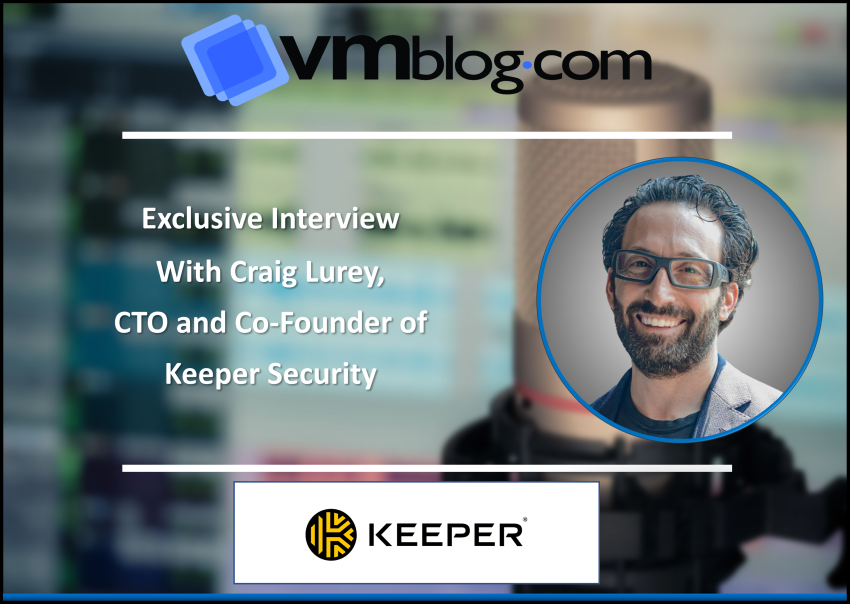
We met with Craig Lurey, CTO and Co-Founder of Keeper Security – a leader in cybersecurity – to better understand how Keeper’s Remote Browser Isolation works. Craig currently leads Keeper’s software development and technology infrastructure team. Prior to building Keeper, Craig served at Motorola as a software engineer creating firmware for cellular base station infrastructure and founded Apollo Solutions, an online software platform for the computer reseller industry which was acquired by CNET Networks.
VMblog: Can you tell me more about what Keeper Security does?
Craig Lurey: We are a zero-trust Privileged Access Management (PAM) platform that unifies critical components of Identity and Access Management and enables zero-trust transformation.
Cybersecurity starts with protecting passwords, credentials, secrets and remote infrastructure. Protecting these and preventing data breaches is what Keeper does while providing administrators with the power to fine tune their organization’s access levels to critical data and credentials across individuals and teams.
VMblog: Can you tell me more about protecting remote infrastructure access?
Lurey: For that, we have Keeper Connection Manager – a remote access solution for managing multi-cloud infrastructure and distributed remote work environments in a zero-trust and zero-knowledge environment. It allows organizations to provide their employees with fast and secure zero-trust network access to sensitive internal resources from any location and on any device, without a VPN.
With Keeper Connection Manager, you can provide access to infrastructure and websites without having to share credentials. Authentication into the remote systems is all handled by Keeper and you can protect access without ever having to provide credentials to the users. Connection manager works on any web browser.
VMblog: And if I understood correctly, Keeper’s Remote Browser Isolation is a component of Keeper Connection Manager?
Lurey: Correct. Keeper Remote Browser Isolation provides secure, encrypted access to internal web-based applications, cloud apps, admin UI’s and any other website hosting sensitive data. The remote browser isolation feature is another protocol, just like RDP and SSH when you’re using Keeper Connection Manager and creating connections.
The user simply logs into Keeper Connection Manager and then launches into the target site with one click.
VMblog: And how does Keeper Remote Browser Isolation work exactly?
Lurey: Traffic is fully encrypted from end to end, going through the customer’s environment, not through Keeper’s servers. The website is rendered within a virtualized up-to-date Chromium browser and projected visually through the user’s local browser with lightning-fast speed. It’s compatible with any web browser such as Edge, Chrome, Safari or Firefox.
In addition to accessing protected apps and data, users are protected from malicious code, phishing and network-based attacks since the website code never runs locally on the device.
Data exfiltration is blocked and web sessions can be recorded as well as filtered and restricted based on an AllowList of domains controlled by the admin. If a user attempts to load a website outside of the allowed list, access is denied.
Remote Browser Isolation also allows organizations to manage, control and monitor the privileged access that third-party vendors and contractors have to its systems.
VMblog: Got it, thank you. So, would you consider Remote Browser Isolation a key part of PAM?
Lurey: Absolutely. Keeper Remote Browser Isolation is a core component of Zero-Trust KeeperPAM. It’s accessible directly from Keeper Connection Manager and when integrated with Keeper Secrets Manager, login credentials can be auto-filled and injected into sessions without ever being transmitted to the user’s local device.
VMblog: Now, let’s dive into the technicalities of it with rapid-fire questions. What operating systems does this work with?
Lurey: Remote Browser Isolation works across Windows, Mac, Linux, Android and iOS.
VMblog: Does this prevent phishing or malicious websites from inserting something on my local device?
Lurey: Yes, all activity happens in the Remote Browser Isolation sandbox, preventing phishing or malicious actors from attacking your local device.
VMblog: Does this replace the need for a VPN?
Lurey: Yes, this replaces the need for VPNs to access web-based resources. This eliminates the unnecessarily broad access they provide, as well as the difficult setup and maintenance.
VMblog: Is it true that there are no special clients that need to be installed?
Lurey: Correct, most other solutions require a client to be installed by each user, but Remote Browser Isolation can be used directly with Keeper Connection Manager without any installation.
VMblog: Does this only work through Docker containerization or will it work through Kubernetes as well?
Lurey: Keeper Connection Manager is deployed as Docker containers which can be used as the runtime in a Kubernetes deployment.
VMblog: Is the RDP limited to a single screen?
Lurey: Keeper Connection Manager can be stretched across multiple screens, and if users would prefer an individual window for each monitor, additional browsers with KCM opened can be used. We are planning full multi-monitor support in a future release.
VMblog: Can you copy and paste from local to the browser connection?
Lurey: Yes, as long as it is not disabled by the admin. There are browsers that do not support that level of clipboard integration, however.
VMblog: Is it possible to route traffic through a proxy?
Lurey: Yes, Remote Browser Isolation sessions require that the machine hosting the KCM container can query DNS and make web requests to the target websites and applications.
VMblog: Does this have FIPS certification?
Lurey: Keeper utilizes FIPS 140-2 validated encryption modules to address rigorous government and public sector security requirements. Keeper’s encryption has been certified by NIST Cryptographic Module Validation Program (CMVP) and validated to the FIPS 140 standard by accredited third-party laboratories.
Here is a full list of our certifications.
VMblog: This was great, thank you for your time. If anyone is interested in learning more, where should they go?
Lurey: Thank you! We recently recorded a webinar that can be watched on demand here. To learn more about Keeper Remote Browser Isolation or sign up for a free trial, visit: keeper.io/rbi
##