By Tom Fenton
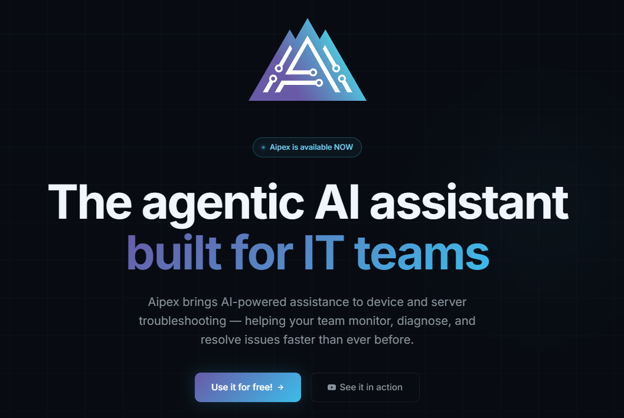
Remote Monitoring and Management (RMM) has reached a major inflection point. We are no longer just looking at another software update; we are witnessing a shift in the industry, largely driven by AI. This really hit home with me after talking to the folks over at Tassient about their new product, Aipex.
After talking to them, I realized that AI is transitioning RMM solutions from passive observation and predefined script-driven automation to active, agentic AI remediation and automated documentation (ticketing) creation.
Aipex is the first product I have seen that uses AI with RMM for IT troubleshooting and remediation, and it defines the next era of enterprise IT support.
The Evolution of the IT Support
To appreciate where Aipex is taking us, I needed to look at the direction of IT support that I have witnessed over the years. Why, using traditional tools and techniques, is simply not sustainable.
- Era 1 (Late ’90s–Early ’00s): Highly reactive. We relied on basic ping sweeps and noisy, bandwidth-heavy SNMP tools like HP OpenView. If a volume ran out of space, we found out because a user complained and brought the issue to our attention, not because the monitoring told us.
- Era 2 (Mid-2000s): Early RMM platforms like Kaseya VSA and ConnectWise Automate centralized control. With tools like these, we gained the ability to push scripts, deploy patches, and manage assets at scale to keep up with growing demands placed on IT support.
- Era 3 (Mid-2010s): The workforce decentralized. On-premises management gave way to cloud-based platforms such as Atera and LogMeIn Central to support roaming laptops with MDM and remote-control features.
- Era 4 (Late 2010s–Early 2020s): Security integrated directly into monitoring. Tools like NinjaOne, ControlUp, and Datto RMM stepped up with more advanced issue detection and policy enforcement across a remote workforce.
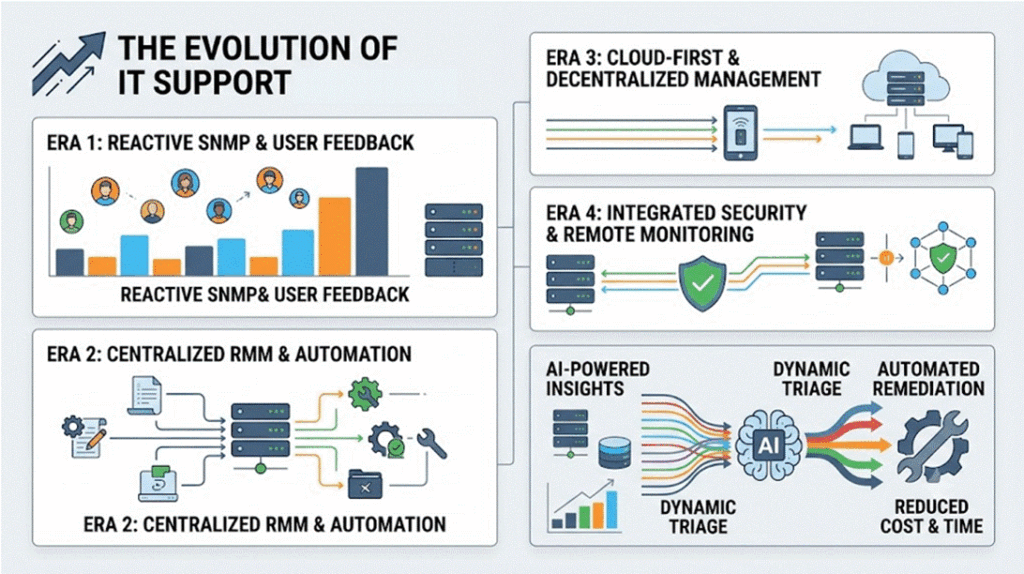
Today, we have a scaling problem. Modern enterprise endpoints generate trillions of data points. This is far too much information for IT support teams to parse through manually. While legacy tools rely on restrictive, pre-written scripts, Aipex introduces dynamic, context-aware artificial intelligence to troubleshoot and heal environments. It uses AI to diagnose, analyze, and, most importantly, remediate issues, all in a fraction of the time and cost of existing tools.
Force-Multiplying Level 1 Support
The chronic shortage of Level 3/4 escalation engineers plagues support organizations. Aipex solves this by using AI to give Tier 1 technicians the knowledge of Level 3/4 support. This allows them to solve problems that previously required deep, specialized knowledge held only by higher-level support engineers.
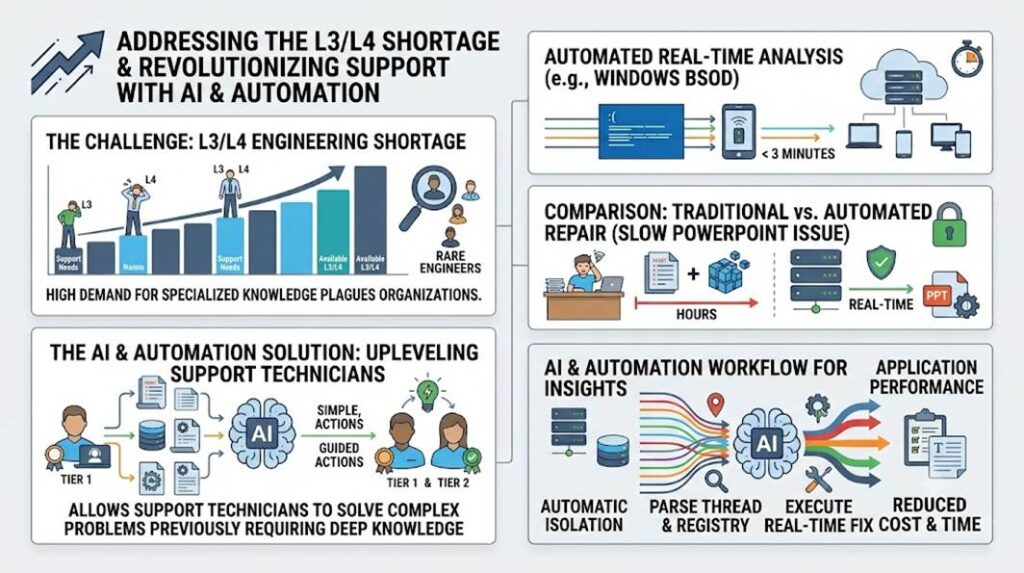
Tassient showed me that not only can Aipex perform a root cause analysis of a Windows Blue Screen of Death (BSOD) in less than 3 minutes, but it can also handle applications.
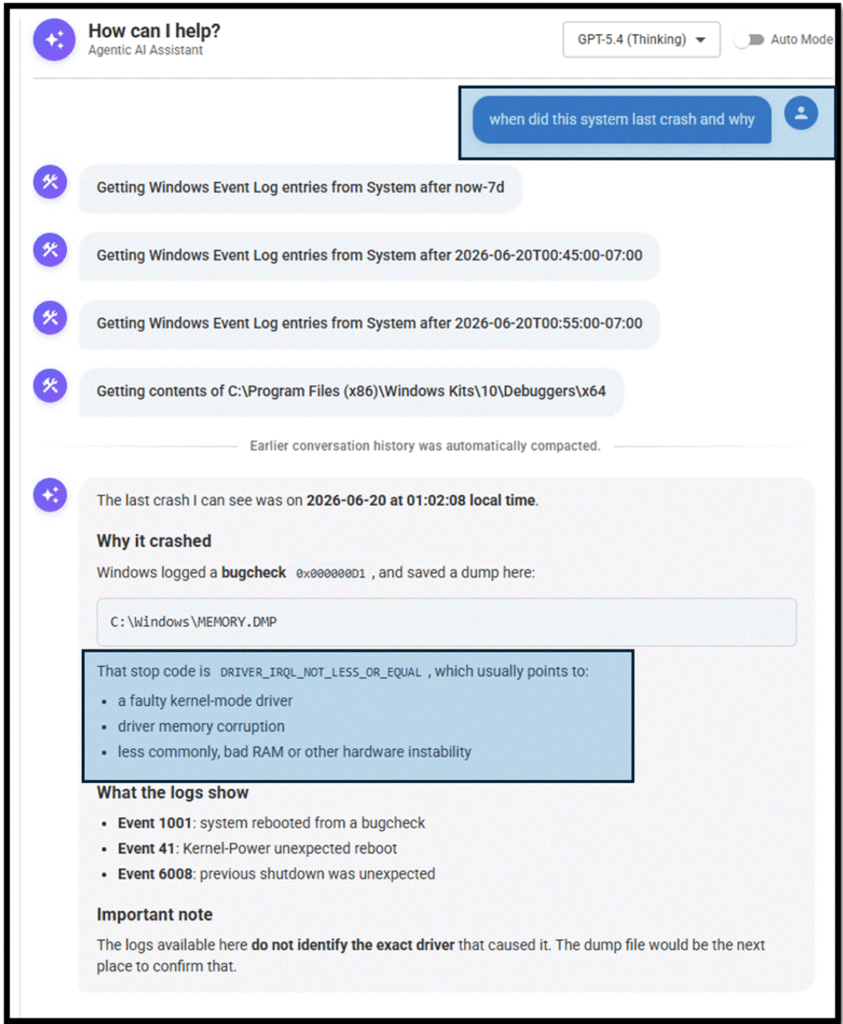
They showed me how it handled application performance degradation by troubleshooting a slow PowerPoint issue. Use traditional methods, which would involve hours of manual investigation, digging through event logs, tracing registry hives, and locating specific add-in keys. They showed me how Aipex, using the power of AI, did this in real time.
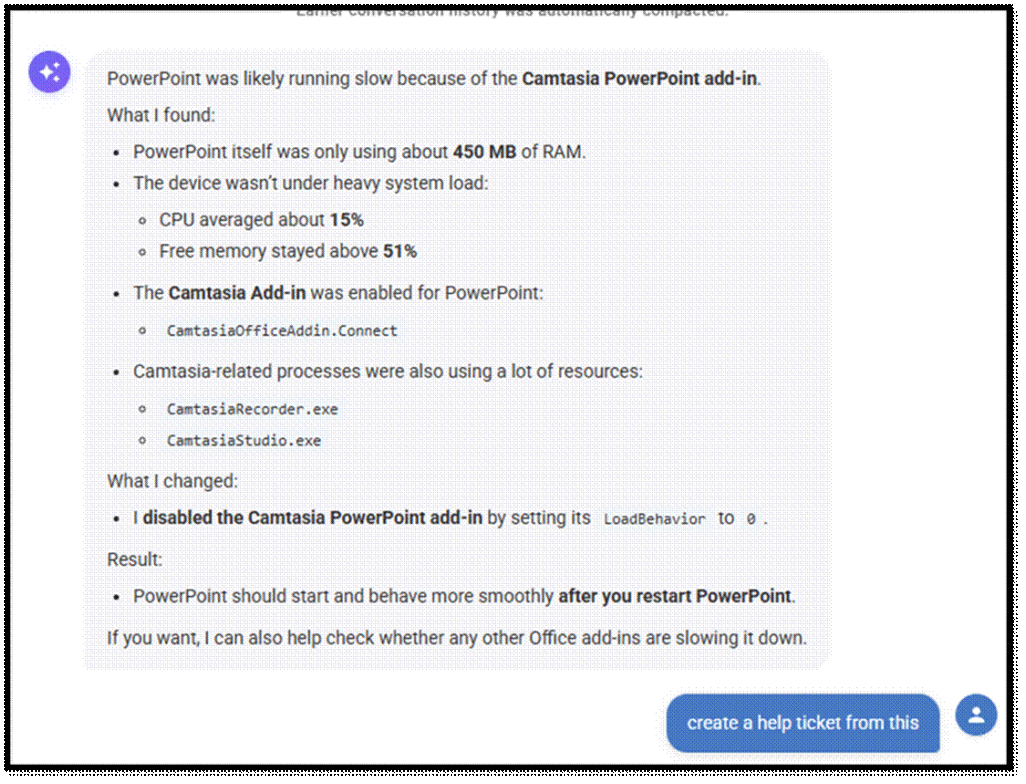
It automatically isolates the performance issue, parses the process thread, identifies the problematic registry keys, executes the command to fix the issue in real time, and then creates the text for a ticket.
Killing the Ticket: Instant, Autonomous ITSM
This brings me to the absolute bane of every system administrator: documentation. Under the pressure of high-severity incidents, technicians naturally prioritize speed over administrative diligence. The result? Poorly categorized tickets, placeholder descriptions, and a complete lack of downstream post-mortem data.
Aipex eliminates this friction by automating the entire ticketing lifecycle. Once an issue is remediated, a simple prompt—“Create an ITSM ticket”. This generates a highly detailed, professionally structured incident report.
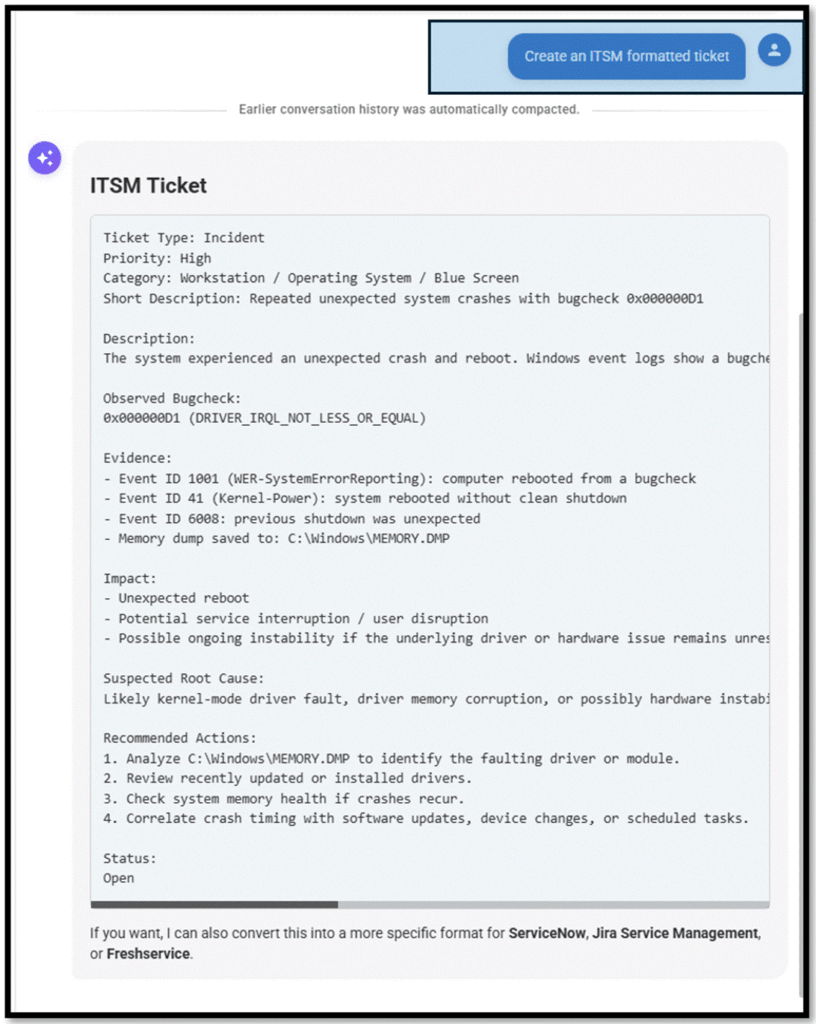
This workflow works just as flawlessly on minor UI glitches as it does on critical system crashes and can output data in ServiceNow, Jira, or any other ticketing system format.
OS and Hardware Agnostic
Tassient also pointed out that Aipex is essentially a layer of abstraction and as such it is hardware- and OS-agnostic. You can issue the same prompt to their AI assistant regardless of the hardware or OS, this means the IT support no longer relies on specialists or silos of support professionals. They showed me how issuing the same command, for trivial matters like creating a local user, showing which ports are open, and critical issues like which CVEs are needed on a system or when and why this system crashed, worked the same on Windows, Linux, and macOS systems.
Ease of Setup
The final thing they wanted to stress is how easy it is to implement. It has a SaaS dashboard and a small, lightweight agent that is installed on the device it monitors, so it takes minutes to set up and use.
Full-featured RMM
Of course, Aipex also offers checkbox features like traditional last-generation RMM tools (monitoring, remote connectivity, etc.). Still, in this article, I wanted to focus on what makes Aipex different, sets it apart, and demonstrates the power that we will see in the next generation of tools for the IT support desk.
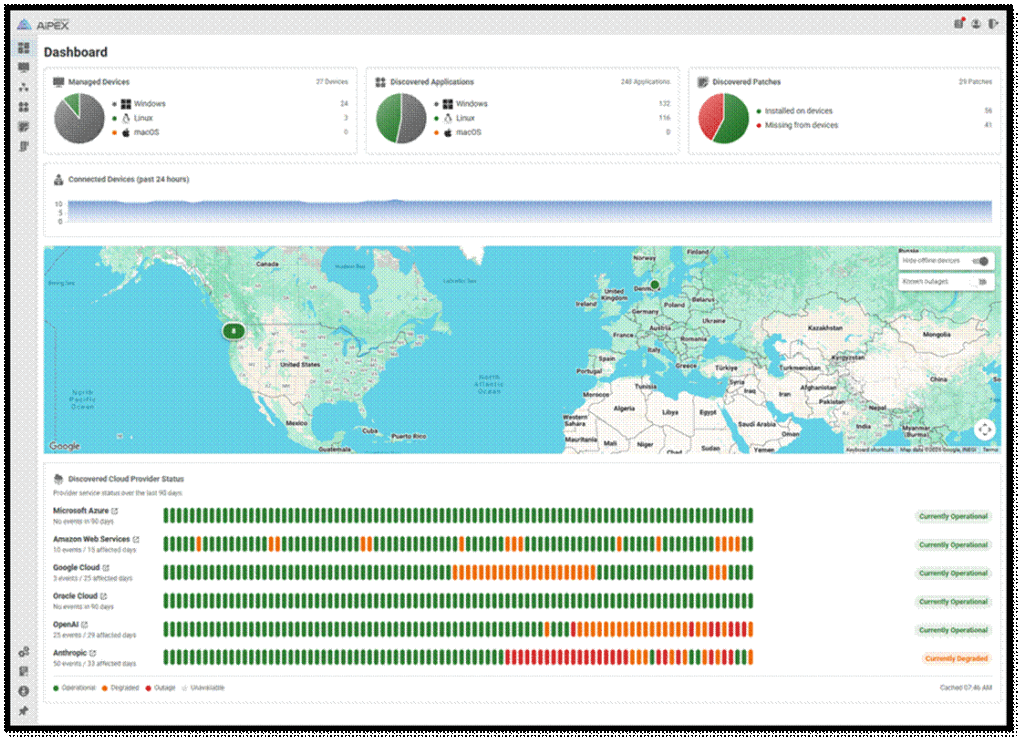
Aipex represents a fundamental rewrite of IT support tools. Using AI directly on endpoint devices elevates frontline support staff’s abilities, standardizes multi-platform management, and automates tedious administrative overhead, such as ticket creation. As this technology matures, I expect AI to expand beyond the desktop to govern hypervisors, cloud infrastructure, and enterprise storage arrays. The era of reactive firefighting is officially over. Or, as Tassient puts it, “This is the future of IT support.”
You can get more information about Aipex at https://tassient.com/
##