By Joshua Kennedy – Technical Product Manager, Login VSI
A virtual desktop environment can report perfect health and still get in the way of real work. Infrastructure stays online, desktops launch, every major component shows green, and yet people wait too long to log in, stall halfway through a critical task, or run into something yesterday’s update unknowingly broke.
The gap traces back to what each side measures: Traditional monitoring confirms that systems and services are available, but it says very little about whether the digital workspace behaves the way a user needs it to at the moment they need it. An environment can pass every check on an operations dashboard and still feel slow, inconsistent, or barely usable.
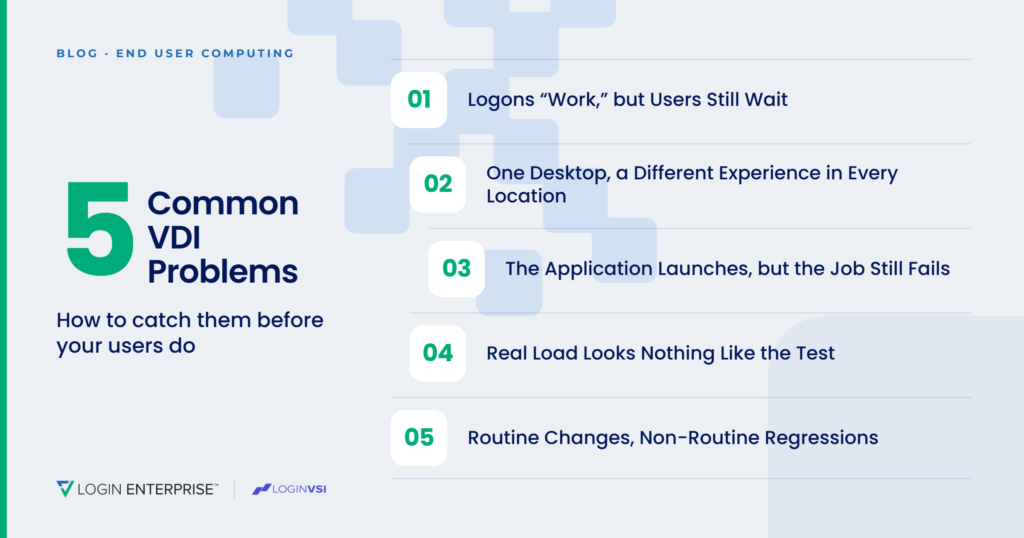
Here are five VDI problems that can hide behind a healthy-looking environment, and how to catch them before your help desk does.
1. Logons “Work,” but Users Still Wait
A successful authentication event is not the same as a usable desktop.
Profile loading, group policy, certificates, and single sign-on all sit between a valid login and a session someone can work in, and any one of them can slow things down. None of them registers as an outage; it shows up instead as minutes of delay spread across the workforce and complaints that vanish the moment IT tries to reproduce them. The identity service logs a clean authentication while the employee remembers waiting, retrying, or closing the window and giving up.
Migrations and identity changes bring this to a head. A configuration that behaves perfectly for a test account can fall apart the first time it encounters a real user group, a remote location, or a profile condition nobody thought to test.
Catching it means measuring the full logon the way a user experiences it, then holding that against a known baseline so slow drift becomes visible instead of disappearing into “well, it logged in.”
2. One Desktop, a Different Experience in Every Location
Centralized desktops promise everyone the same workspace regardless of location. What each person gets depends heavily on the path between them and that desktop.
- Latency, endpoint hardware, and display setup all change how the session functions once it’s live.
- A video call runs fine from one office but becomes choppy from another for reasons that have nothing to do with the platform.
- A graphics-heavy app looks smooth on a full Windows endpoint but turns unusable on a thin client.
- Multi-monitor setups behave nothing like the single screen someone used during acceptance testing.
The hosted environment stays technically available through all of it; what changes is the experience, which is exactly what gets exposed during platform migrations, hardware refreshes, and any move toward work-from-anywhere. Test only from the data center, or from an admin machine a few feet from the servers, and most of the real-world experience never gets looked at.
No team can test every combination of device, network, and location, and none needs to. The move is to pick the handful of scenarios that carry real business weight and build them into the validation plan: remote staff on the home networks they actually use, branch offices in other regions, thin-client users, and anyone whose day depends on multiple displays or specialized peripherals.
3. The Application Launches, but the Job Still Fails
An application that opens looks like an application that works. Often it isn’t.
The executable launches on cue while the real task falls apart a few steps later: a plugin doesn’t load, a database connection times out, an export fails, a file has nowhere valid to save. Printing, licensing, and integrations can all break without ever touching whether the app launches, and a basic launch check still reports it as available. The person in front of it still can’t finish the job.
This gets harder as the application estate grows. Manual acceptance testing rarely reaches every workflow after each image update, policy change, or OS patch, and even when business users pitch in, coverage drifts from one round to the next and results stop being comparable across releases.
Validation must follow a workflow through to something that matters, rather than stopping at the splash screen. For a finance app, that might mean opening a report, changing its parameters, and exporting the result. For a clinical system, pulling up a patient record and completing a documented action a clinician would perform. This doesn’t turn every app owner into an automation engineer. Workflow-based tools can record these paths quickly enough to make broad, repeatable coverage realistic after every meaningful change.
4. Real Load Looks Nothing Like the Test
An environment that carries a few test users without a hitch can buckle the moment real concurrency arrives.
Login storms, shift changes, regional peaks, and autoscaling lag all expose weaknesses that stay invisible at small scale. Under light load, almost anything looks responsive. Put hundreds or thousands of sessions against the same shared resources and logons slow, application response lags, and performance starts swinging from one session to the next. Extra capacity might spin up, but if it lands after the peak, users already felt it.
The cost side cuts both ways. Excess capacity on standby inflates cloud and infrastructure spend, while trimming too hard removes the headroom a surge needs. Historical averages describe typical consumption, but they rarely mark the point where an environment tips over.
Running representative workloads at expected concurrency shows how the environment behaves on a normal day. Pushing past that point is where the useful answers live: when performance starts to slide, whether scaling reacts fast enough to protect the experience, and how much buffer sits between normal and painful. This is the kind of check Login Enterprise is built for, generating real, repeatable load with virtual users so capacity decisions rest on measured behavior instead of an average. With that in hand, capacity planning becomes a defensible read on cost, performance, and risk.
5. Routine Changes, Non-Routine Regressions
VDI environments never sit still. Patches, image updates, security agents, application releases, drivers, and policies move through constantly, and a change can succeed completely on its own terms while breaking something several steps downstream.
- A new security agent stretches logon times or lowers how many users a host can hold.
- A Windows update collides with an application dependency it was never meant to touch.
- A policy tweak blocks a workflow for one group and leaves another untouched.
- A driver change shifts graphics or peripheral behavior in ways nobody caught in testing.
- Configuration drift slowly pulls two identical images toward two different results.
Deployment tooling confirms that a change reached its targets. It is far weaker at answering whether people can still work afterward, especially when the regression shows up as slower performance, an intermittent failure, reduced capacity, or one broken step buried inside a larger process.
Running the same representative workflows before and after an update gives an objective comparison across logon time, application performance, availability, and business function. Results outside the expected range give the team something concrete to investigate before the rollout widens. Results that hold steady give stakeholders real evidence to move forward.
“Green” Is Not the Same as Ready
None of this makes infrastructure monitoring less useful. EUC teams still need component health, alerts, and operational dashboards to run the estate. The trouble starts when those signals get read as proof that the user experience is fine too, a question they were never designed to answer.
A fuller picture pairs monitoring with repeatable validation of the workspace itself: the logon, real endpoints and locations, the application workflows people depend on, expected concurrency, and the effect of change over time. Login Enterprise runs those checks with virtual users and workflow-based testing, before deployment and again once the environment is live and real people are counting on it.
The most disruptive VDI problems rarely arrive as outages. Someone logs in, only slower than they should. An app opens, only to stall before the job is done. Capacity shows up, only after the workforce felt the wait and the help desk started fielding calls. The dashboard stays green. The better question is whether the business can keep working underneath it.
See what your users experience before they open a ticket. Put your logon times, application workflows, and real-world concurrency to the test with a Login Enterprise demo. Request a live, customized demo today.
##
ABOUT THE AUTHOR

Joshua Kennedy is a Technical Product Manager at Login VSI with more than 20 years of experience in technology and engineering. He specializes in QA, automation, coding, EUC, data analysis, and product development, with a passion for solving complex challenges, improving products, and creating better user experiences.