Ransomware hits organizations of every size, from small municipal offices to global manufacturers. It encrypts or destroys files, often after attackers have quietly copied data, and then pressures the victim to pay. When it reaches hospitals, schools or critical infrastructure, the disruption goes well beyond IT.
The scale is hard to ignore. Verizon’s 2026 Data Breach Investigations Report, covering breaches from November 2024 to October 2025, found ransomware present in 48% of the breaches it analyzed. Speed matters just as much as prevention: the faster you detect and contain an attack, the less it can encrypt, steal or spread.
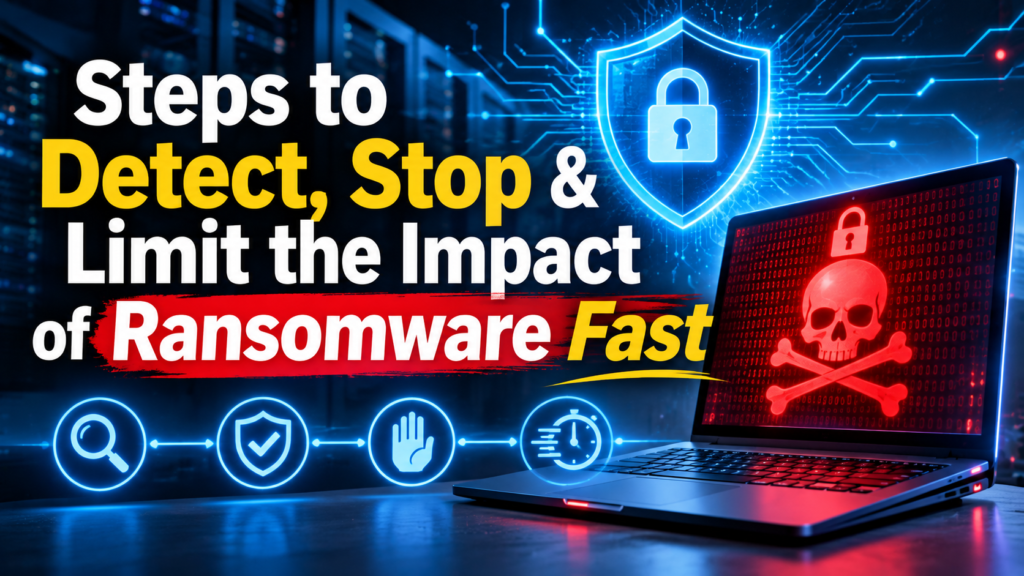
Stopping ransomware takes a layered, all-hands approach. Below are seven steps you can take to detect attacks early, stop them quickly and limit the damage, along with the cybersecurity services that help at each stage.
Key Takeaways
- No single tool stops ransomware. Combine prevention, detection, response and recovery.
- Offline, tested backups remain the most reliable way to recover without paying.
- Patching matters more than ever, because vulnerability exploitation is now the top way attackers get in.
- EDR and XDR give you visibility; 24/7 managed detection and response (MDR) adds the people who investigate and contain threats around the clock.
- Agree on who can isolate systems before an incident, so containment isn’t delayed by approvals.
1. Develop and Test an Incident Response Plan
Create a practical incident response plan so everyone understands their responsibilities and communication paths during and after an attack. Include IT, security, legal, leadership and communications, plus external contacts such as your cyber insurer, legal counsel and key vendors.
Write down who can approve disruptive actions, such as isolating a production server or disabling a privileged account, and who covers nights and weekends. Then run a tabletop exercise to find gaps before an attacker does. Review the plan regularly as staff, systems and suppliers change.
2. Maintain and Protect Your Backups
Backups are the single most effective way to recover from ransomware without paying. The joint #StopRansomware Guide from CISA and partner agencies recommends keeping offline, encrypted backups of critical data and regularly testing their availability and integrity.
Attackers know this, so they target backups first. Store at least one copy offline or out of band, restrict who can delete or change backup jobs, and alert on attempts to remove snapshots. Recent research also shows ransomware variants built to evade detection and undermine recovery, which is why you should verify that a backup is clean before restoring from it.
3. Know Your Attack Surface and Patch Quickly
You can’t defend what you don’t know about. Start with an inventory of your devices, servers, cloud accounts and software, then harden their configurations.
Patch what attackers exploit. Verizon’s 2026 DBIR found that vulnerability exploitation was the initial access vector in 31% of breaches, overtaking stolen credentials for the first time. Prioritize internet-facing systems, VPNs and remote access tools, and turn on automatic updates where you can.
Review exposed services. Many ransomware campaigns abuse Remote Desktop Protocol (port 3389) and Server Message Block (port 445). Close what you don’t need and limit the rest to trusted hosts.
Tighten access. Require multi-factor authentication for VPNs, remote portals and administrator accounts. Remove stale accounts and avoid shared logins so every action can be traced to a person.

4. Monitor Endpoints and Identities With EDR and XDR
Ransomware changes constantly, so signature-based antivirus alone won’t catch it. Endpoint detection and response (EDR) records activity on laptops and servers and can block or isolate a device. Extended detection and response (XDR) correlates signals across endpoints, email, identity, cloud and network tools to show the whole attack.
Watch for the warning signs that usually come before encryption:
- Unfamiliar remote access or administration tools
- Unusual logons between servers, especially from service accounts
- Mass file reads or rapid file changes
- Attempts to disable security tools or delete backup snapshots
- Large or unusual outbound data transfers
A security information and event management (SIEM) platform can collect and correlate logs, but neither SIEM nor EDR supplies the analysts who investigate alerts at 3 a.m.
5. Add 24/7 Managed Detection and Response
This is where many organizations close the speed gap. Managed detection and response is a service in which a provider’s analysts monitor your security data around the clock, investigate suspicious activity and contain threats within limits you agree in advance. For teams without a full security operations center, it turns alerts into action outside office hours.
When you compare providers, ask how quickly they detect and respond, which actions they can take directly and how they keep up with active ransomware groups. ESET offers a 24/7 human-led MDR service combined with AI, and says it can reduce incident detection and response time from months to just six minutes. Its threat hunters monitor active malware groups, correlate detections into structured, mapped incidents and perform containment and eradication actions, backed by a global telemetry network of 100M+ sensors, 11 R&D centers and more than 35 years of experience. The company is a member of CISA’s Joint Cyber Defense Collaborative, was named a Market Leader in MDR in the KuppingerCole Leadership Compass 2026, and includes a Cyber Warranty with eligible MDR subscriptions.
Whichever service you choose, confirm three things in writing: which systems and data sources are covered, which response actions the analysts can take on their own, and how they reach your on-call staff when approval is needed.
6. Agree on Containment Authority Before You Need It
Fast detection only helps if someone can act on it. Before an incident, build a simple response matrix with your provider:
| Action | Pre-approved for | Needs approval for | Your team’s follow-up |
| Isolate an endpoint | Workstations and named asset groups | Production servers | Approve reconnection after cleanup |
| Disable or restrict an account | Standard and named service accounts | Critical admin accounts | Rotate credentials and review access |
| Block a file or process | Known malicious items | Business-critical applications | Confirm no business impact |
Name an after-hours approver and a backup contact, and agree what happens if no one answers. Test the matrix in a tabletop or a safe simulation agreed with your provider; never introduce live malware into production.
7. Train the Team
Security awareness training helps stop ransomware at the front door. When employees can spot phishing emails, suspicious texts and fake support calls, they’re far less likely to hand attackers a foothold. Base exercises on real-world lures, include help desk staff who reset passwords, and make it easy and blame-free to report something suspicious.
Don’t Give Ransomware a Time Advantage
Ransomware moves fast. In one recent lab study, researchers watched ransomware reach 10,000 files in about six minutes, faster than many escalation paths. The longer an attack goes unnoticed, the more it can encrypt, steal and spread.
To keep the advantage on your side, measure three intervals separately: time from detection to notification, time from validation to containment, and time spent waiting for approval. Agree on targets with your security provider, then review them after every incident or exercise. If approvals are the slowest step, expand your pre-approved actions rather than waiting for the next 3 a.m. alert.
Conclusion
Ransomware defense works best as a chain: a tested response plan, protected backups, fast patching, endpoint and identity monitoring, round-the-clock detection and response, clear containment authority and a well-trained team. Each link shortens the window attackers need. Start with the gaps you can close this month, test them with a tabletop exercise and keep measuring how quickly you can detect and stop an attack.
FAQ
What cybersecurity services help detect and stop ransomware fast? Managed detection and response (MDR) provides 24/7 analysts who investigate and contain threats. EDR and XDR tools supply the visibility and response controls, and incident response services help with investigation and recovery after an attack.
Does MDR replace EDR or XDR? No. EDR and XDR are technologies, while MDR is a managed service that uses them to monitor, investigate and respond on your behalf. Confirm whether a provider supports your existing tools.
Can MDR prevent ransomware entirely? No service can guarantee prevention. MDR shortens the time between detection and containment, which limits how far an attack spreads. Patching, backups and training still need an owner in your organization.
How should backups be protected from ransomware? Keep at least one copy offline or out of band, encrypt it, restrict who can change backup settings and test restores regularly. Check that a backup is clean before restoring from it.
Who should authorize ransomware containment actions? Your organization sets the rules. Pre-approve actions for lower-risk systems, name an after-hours approver for production assets and agree on a fallback if that person can’t be reached.