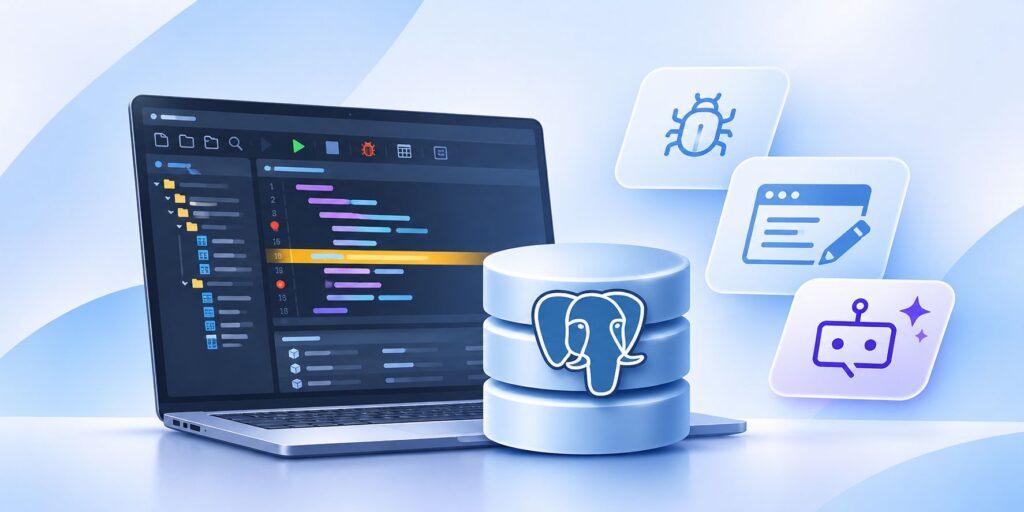
dbForge 2026.2 is a release that’s sure to attract the attention of database developers, DBAs, and data analysts. It brings three major enhancements to PostgreSQL solutions: an embedded PostgreSQL Debugger, new visual object editors for creating and modifying database functions, procedures, and event triggers, and broader context for AI-powered SQL generation and optimization.
These enhancements look positively intriguing, since they promise to make the daily work of PostgreSQL developers far easier. After all, who wouldn’t want to get rid of manual PL/pgSQL troubleshooting, repeated query execution in search of bottlenecks, and object management via raw code?
That’s where dbForge 2026.2 steps in with its core idea of bringing all operations together and automating them in one PostgreSQL IDE. Let’s take a closer look at the release and see what it has to offer.
Key updates in dbForge 2026.2
Here is a quick overview of the most important enhancements in this release:
- Embedded PostgreSQL Debugger: Set breakpoints, step through code line by line, inspect variables, and locate errors directly in the IDE. No extensions or third-party PostgreSQL debugging tools are required.
- New visual object editors: Create and modify functions, procedures, and event triggers through a convenient visual interface.
- Expanded context for dbForge AI Assistant: Attach SQL scripts, application code, database projects, diagrams, custom instructions, and other files to the AI chat (including the currently open SQL document).
- AI model selection: Choose between different Anthropic and OpenAI models.
- Free Express plan for dbForge AI Assistant: Use dbForge AI Assistant alongside other dbForge products completely free of charge.
- SQL development improvements: Apply column and object qualification to existing SQL and expand wildcard expressions for all supported contexts.
- Faster access to test data generation: Generate data directly from Database Explorer.
- Additional schema comparison metadata: View a new Last modified column in schema comparison documents and reports.
- Expanded compatibility: MySQL tools add support for MySQL 26.7 and MariaDB 13.x, while PostgreSQL tools add support for PostgreSQL 19.
What’s new for PostgreSQL development in dbForge 2026.2?
PostgreSQL receives the most significant development-focused features in dbForge 2026.2. Like we said, there are three of them: an embedded PostgreSQL Debugger, three new visual object editors (namely, for functions, procedures, and event triggers), and broader capabilities for AI-assisted SQL development. Let’s start with the first one.
How does the new PostgreSQL Debugger work?
One of the headline features of dbForge 2026.2 is the introduction of PostgreSQL Debugger in Devart’s flagship PostgreSQL GUI tool called dbForge Studio. It allows developers to investigate server-side code as it executes instead of relying exclusively on indirect troubleshooting methods. The standard debugging workflow is as follows:
- Set breakpoints: Mark specific lines of code where execution should pause.
- Start the debugging process: Let the Debugger execute the code up until a breakpoint and stop to let you analyze it.
- Step through code: Execute the code line by line to understand its behavior and identify errors.
- Inspect variables and expressions: Monitor current values and evaluate expressions during execution.
- Examine query results: Inspect query results while the code is running.
- Locate exceptions: Identify the exact line where an exception occurs.
One of the best things about PostgreSQL Debugger is its native integration with dbForge Studio, which means no further extensions are required to run and use it.
Visual editors for functions, procedures, and event triggers
Debugging is only one part of the improvements brought by dbForge 2026.2. The release also introduces visual editors for three important types of server-side database objects: functions, procedures, and event triggers. Each visual PostgreSQL editor provides a graphical way to create and modify objects that developers would otherwise manage primarily through SQL definitions and PL/pgSQL scripts.
Visual object editors become particularly useful when working with existing databases, exploring object definitions, or making changes to server-side logic as part of ongoing development.
Visual function and procedure editing
PostgreSQL functions and procedures are the building blocks of database logic. Functions can encapsulate calculations and data transformations. Procedures may take part in more extensive operations and transaction management.
Both object types can contain substantial PL/pgSQL logic, making their development and maintenance an important part of database development. Now, instead of managing every aspect of an object’s definition through manually written SQL code, developers can use the visual interface of dbForge Studio to work with its configuration and definition.
Visual event trigger management
The same goes for event triggers. A visual editor makes it easier to inspect event trigger definitions and manage their configuration without relying entirely on manually written DDL statements. And it’s all perfectly available from the same PostgreSQL development tool.
What has changed in dbForge AI Assistant?
The next major part of the release focuses on AI-powered SQL development. And this is where we proceed to dbForge AI Assistant, a smart SQL AI tool that generates, explains, and fixes SQL code.
Add files with further context to AI conversations
Previously, the user could attach a certain database to help dbForge AI Assistant generate answers based on that database’s metadata—without any access to the actual data, of course. Now, the Assistant’s capabilities have been expanded with further context. Here’s what can be attached to a conversation:
- Currently active documents
- Sample code
- Custom instructions
- Database diagrams
- Scripted databases
All this can make the Assistant’s answers even more precise and relevant not only to particular databases, but also to specific SQL coding styles and standards.
Choose the AI model for the task
Another addition in dbForge 2026.2 is the ability to select the AI model used by the Assistant. Now, users can freely switch between the following:
- Anthropic: Claude Haiku 4.5, Claude Sonnet 4.6, Claude Sonnet 5
- OpenAI: GPT-5.4, GPT-5.6 Luna
Start with the free Express edition
Finally, the release introduces a free Express edition of the AI Assistant with a smaller token allowance, a limited selection of AI models, and 14-day chat history. Feature-wise, nothing really differs from the paid plan. Developers can still generate, optimize, and fix SQL based on their actual databases and pre-written instructions.
Additional improvements in dbForge 2026.2
The release also brings a few extra improvements worth mentioning. These include object and column name qualification and wildcard expansion, which can be applied to an entire SQL document or a specific fragment of code.
The main advantage of the former is that developers no longer need to manually update every reference to match their preferred qualification style. The latter makes it easier to refactor existing SQL without manually replacing every wildcard expression.
Several improvements focus on productivity. For example, developers can now launch test data generation directly from Database Explorer. Another useful addition is the ability to configure the default action triggered by double-clicking database objects—whether it’s to select data from a table/view, run a procedure/function, or open any of these objects in the visual editor. Finally, the update also adds a Last modified column to schema comparison documents and reports in dbForge solutions for SQL Server and Oracle.
What does dbForge 2026.2 mean for multi-database development teams?
Although Devart’s key PostgreSQL GUI client is the one to receive the most prominent improvements, dbForge 2026.2 represents a modernization of the whole ecosystem, which covers several other major database systems: MySQL, MariaDB, Oracle Database, Microsoft SQL Server, and a wide range of cloud databases and services related to them.
So, when it comes to multi-database development and management, the broader value lies in having a more consistent set of database tools for developers without sacrificing the platform-specific functionality they need. The dbForge ecosystem addresses this with dbForge Edge, a solution that essentially brings together four IDEs, each tailored to a specific database system and its associated forks and cloud services. Thanks to their consistent design and functionality, switching between these IDEs—for example, from PostgreSQL to MySQL—takes just seconds.
Who can benefit the most from dbForge 2026.2?
The improvements in dbForge 2026.2 are particularly relevant to three groups of developers and database teams:
PostgreSQL developers
Developers who regularly write and maintain PostgreSQL functions, procedures, and triggers are the primary audience for this release. The new Debugger provides a more direct way to investigate server-side execution, while the new visual editors simplify the creation and maintenance of database objects.
Backend developers
Backend developers often depend on functions and stored procedures as part of their application’s data access and business logic. When application behavior depends on database-side operations, troubleshooting can involve investigating both application code and PostgreSQL execution. Again, this is where Devart’s PostgreSQL development tools will prove helpful. Note that dbForge provides Debuggers for other database systems as well.
Multi-database development teams
Multi-database management is fully covered by the broader dbForge ecosystem. Using a small, consistent toolset across all databases can make it easier to maintain familiar workflows and eliminate the need to switch between completely unrelated development environments. This works for individual developers as well as for entire teams.
Final thoughts
Overall, dbForge 2026.2 makes PostgreSQL development more visual and context-aware. The embedded PostgreSQL Debugger, new visual object editors, and expanded AI capabilities basically define it. You can explore them by downloading a free trial of any dbForge product or upgrading the currently used product to the latest version.