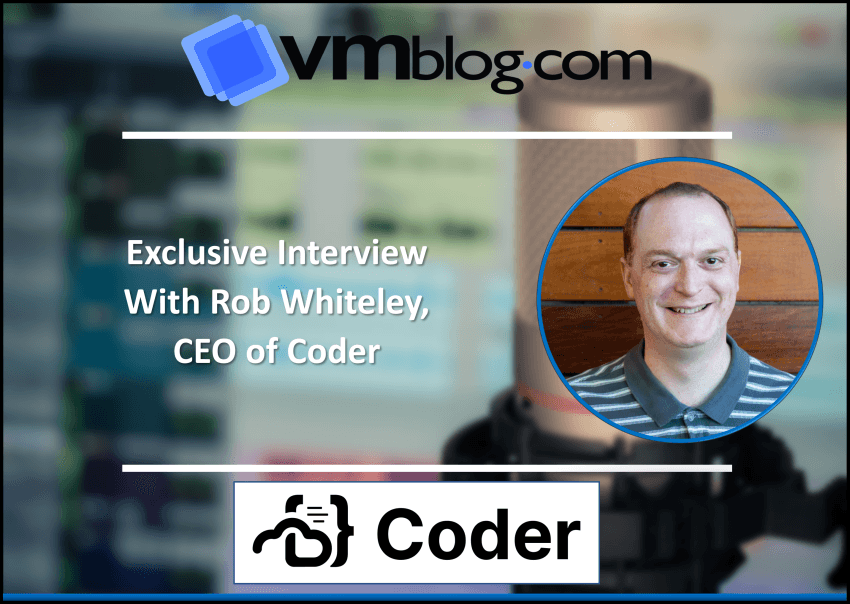
Cloud development environments, or CDEs, are gaining in popularity and necessity due to the increasing complexity of today’s developer environments. To understand the benefits of shifting development to the cloud and the capabilities of CDEs, I sat down with Rob Whiteley, CEO of Coder. Coder recently launched the general availability of Coder 2.0, an open source, cloud-native platform that allows developers to write, run and test their code on any device, from anywhere, using a CDE.
VMblog: Tell us about Coder.
Rob Whiteley: Coder is an open-source cloud development environment (CDE) provider. We were founded by two brilliant young developers who met, of all things, playing Minecraft as teenagers. They built up quite a good business monetizing plugins for the game, and spent a lot of time commiserating about how they would be more efficient if they had the right tool set. Out of that was born a company, and a vision to change the way software is developed and create a great developer experience when coding.
Coder shifts development from local laptops to the cloud. That’s important because cloud has transformed most aspects of IT infrastructure and how we deliver software, but it hasn’t yet transformed how we develop software. It’s still very much done on laptops, workstations, and disconnected machines. Part of what drives Coder is our desire to shift that last non-cloud element, software development, to drive an amazing developer experience. It’s faster, it’s cheaper, it can be more secure, and it provides a lot of productivity gains to developers. If you think about costs, developers are a very expensive, very valuable resource: their productivity has a direct line to business outcomes. Coder is on a mission to find all the distractions – all the points of friction that take a developer out of their flow state – and eliminate that friction.
VMblog: You announced Coder 2.0 today which is a Cloud Development Environment (CDE). How do CDEs differ from Integrated Development Environments (IDEs), and what is the significance of Coder being self-hosted?
Whiteley: An IDE represents the specific toolset that a developer needs to produce code: typically the source code editor, build automation, and debugger tools. IDEs were traditionally written as applications that ran on local machines. A CDE shifts that paradigm into a centrally hosted location. That cloud could be a private cloud, a public cloud, or even virtualized infrastructure in your own data center. It allows you to have all the benefits of traditional IDEs, but wraps a superset of functionality around it to provision the necessary cloud components.
I think of IDEs as a very tight ring around tooling, and CDEs as a broader ring that encompasses more of the tech stack a developer needs to do his or her job. For example, a CDE knows how to connect to CI/CD or automation tool chains, backend code repositories like GitHub, and exotic compute resources like GPUs. CDEs make our developers productive without having to provision this stuff themselves. The CDE takes care of that for them and keeps them in that flow state.
Most CDEs are SaaS-based, which allows you to get up and running quickly – but those are very opinionated, meaning the SaaS providers dictate a lot of the environment and prescribe how the developer should code. That doesn’t provide enough flexibility in an emerging market like this, where most companies need to tweak the environment to meet their needs. The ability to be self-hosted overcomes that limitation, putting more choice and flexibility in the hands of customers to make sure they’re getting the most out of their CDE. At Coder, what really sets us apart, is that we give you the flexibility of self-hosted, but the simplicity of SaaS. We remove all of the complications that usually surround self-hosted software and make it as easy, frictionless, and seamless as possible.
VMblog: What are some reasons for organizations and developers to want to move from developing on their laptop to the cloud? How is the industry engaging with CDEs?
Whiteley: Developers are notoriously picky. Historically, when you’d ask them to shift from their machines to cloud development, it was like saying they’d have to give up all the creature comforts they’d known – their preferred editor, any themes or skins they’d apply, and keyboard shortcuts they’d mapped. It was a non-starter. Fast forward to today, and CDEs have pretty much eliminated that point of friction.
Developers still get the full high-fidelity development environment they want: completely customizable using preferred tools. But that work gets transmitted, stored, and processed centrally in the cloud. You can almost think of it as Google Docs for code – developers still do some work locally, but the CDE syncs everything to the cloud. This provides bigger, beefier compute; infinite storage; better security mechanisms; easy back-up; and continuous availability.
With a CDE, you can survive things like losing a laptop. You benefit from the ability to work across devices. Decoupling from a specific device is the promise of cloud-based environments. The trick is to make sure it’s done in this high-fidelity way so the developer isn’t giving up any of those creature comforts. Not all CDEs do that.
VMblog: What’s new in Coder 2.0?
Whiteley: First, let me give you a quick backgrounder. Coder produces three things. There’s Code-server, a browser-based IDE that uses VS Code. We don’t have a commercial version of that product. Then we offer Coder, a full open source CDE that wraps additional provisioning, automation, and controls around your IDE. Coder can ship with Code-server as the default IDE, but gives you the freedom to use any other. And we sell a commercial version on top of the open source, Coder Enterprise. The commercial version has extra capabilities that a DevOps or platform team would need, and that’s where we add value. It’s very similar to other open core business models where you have a free and open source version for developers, but a paid version for infrastructure or DevOps teams.
Ok, with that as background, what we’re announcing on September 13 is that we are launching 2.0 of that open source project. There are three key new features in Coder 2.0. The first is Envbuilder for Dev Containers, an open source project by Coder based on the Microsoft Dev Containers specification. Envbuilder enables users to control their development environments without affecting infrastructure or requiring the work of DevOps and Platform teams.
Next is Template Registry, a central repository to discover and browse Coder configuration Templates. The Template Registry includes launches with hundreds of Coder-certified and community-contributed Templates, making it easy to get started with Coder for a variety of developer tooling and cloud providers.
Finally, we are releasing an Integration with JFrog, extending the security of your software supply chain to the developer desktop. The single-click integration provides the ability to securely store Coder resources in JFrog Artifactory, as well as expose Xray health and status information directly in the Coder user interfaces.
VMblog: What types of use cases are ideal for CDEs?
Whiteley: There are a lot – I recommend companies start with two concrete use cases. The first is shortening developer onboarding. A lot of our customers track time to first commit: how long between when the developer started and when they commit their first line of code to the company’s code repository. Normally that’s about 14 to 15 days.
With a CDE, organizations can greatly reduce that time because they don’t need to ship devices or worry about supply chain constraints. All of the supply chain latency gets taken out of the equation, which immediately shortens onboarding from weeks to days. Through the magic of Dev Containers and Templates, Coder can even cut that down to hours or minutes. Skydio is a good example – they’re a customer who was able to shorten time to first commit to one hour. Within an hour of being hired, the developer is already providing value to the company. Assuming he or she is ready to do so!
The second use case is data science. A lot of customers are trying to figure out how to develop AI qne ML applications to power parts of their business. To do that, you need access to two core capabilities – one is GPUs to crunch the large computational models that AI applications use. GPUs are very expensive and hard to get ahold of, so the easiest thing to do is just rent them from a cloud like AWS, Google, or Azure. The second is a large data set to train models. Language models can be terabytes or even petabytes. Organizations don’t want every developer pulling down petabytes of data to their workstation.
This is another case, like developer onboarding, that’s tailor-made for CDEs because the organizations already shifted development to the cloud. It’s just a poor developer experience and often requires that a data scientist – who is more of a citizen developer than a software engineer – learn a lot of complicated tooling. The CDE just makes it easier and faster to access that data science platform already established in the cloud.
VMblog: Moving to the cloud can be a big shift for the organization and developer. Any tips on getting started?
Whiteley: Yeah, jump in – these tools are actually not that daunting. At Coder, we pride ourselves on creating open source, so you do not need to contact us to get started. A lot of the other tools are SaaS-based and you can do free or freemium trials. What’s most important is that this is a behavioral change going from local development to cloud-based development. So find your early adopters. If developer onboarding is your use case, take the next 25 developers you hire and onboard them into this new environment. If data science is your use case, go find a small data science or data programming group and have them be the pilot.
Get them started to establish that early win, having them report out the benefits they’re experiencing with faster build times, shorter onboarding, better security, lower cost, more flexibility, the ability to code from any device, and the ability to keep all of their creature comforts. You’ll create the evangelist group that then gets the rest of your developers excited. We’re working with one large bank where they started with 50 developers, then grew to a thousand, and then grew again to 2,500. They’ll soon have 6,000 developers using the Coder CDE. That’s the kind of organic adoption you get. But it all started with the 50.
VMblog: What can VMblog readers expect from Coder in the future?
Whiteley: There are three themes that drive Coder: providing the best developer experience, the best operator experience, and continuously removing friction so that developing code is easy. These three themes guide our roadmap.
What you can expect from us is similar to the announcements in Coder 2.0. – What are other things that remove little points of friction? What are other things that help operators scale? At a slightly more tactical level, expect more open source projects. I think in the future, Coder will not be a single open source project with a single commercial version. It will be a constellation of open source projects, each having their own commercial version, all laser-focused on developer productivity. That’s the technical thesis the company was founded on, and we aim to have multiple tools that compress areas of time wasted for developers, whereas right now we’re mostly focused on that developer connectivity and onboarding time slice.
I highly encourage folks to start with the open source. You can go to github.com/coder to check out our community of Templates and Template providers and see how easy it is to shift your development from local to the cloud using a CDE.
##